Chrome extension
Add Leaklet, then scan
Add Leaklet to Chrome. Then open it with two clicks. First click the extensions icon (the puzzle piece). Then click Leaklet. Once Leaklet is open, go to a YouTube video, Shorts, live page, or channel you posted or own and scan it.

-
Add Leaklet to Chrome
Add Leaklet to Chrome. That opens the Chrome Web Store listing so you can install the extension.
-
Click the extensions icon
It looks like a puzzle piece. Find it on the Chrome toolbar, to the right of the address bar.
-
Click Leaklet
A list opens under the puzzle piece. Click Leaklet. Pin it if you want it to stay on the toolbar.
-
Click Allow if Chrome asks
Chrome may ask to let Leaklet read websites. Click Allow if you agree.
-
Open a YouTube page you posted or own
Go to a YouTube video, Shorts, live page, or channel you posted or own. Keep Leaklet open while you switch tabs. Leaklet does not scan Instagram, blogs, or stores. Do not scan anyone else's content.
-
Scan that page
Click Scan this page for opportunities. Only scan a YouTube page you posted or own. Works in any language. AI reads the title, description, and captions as they appear.
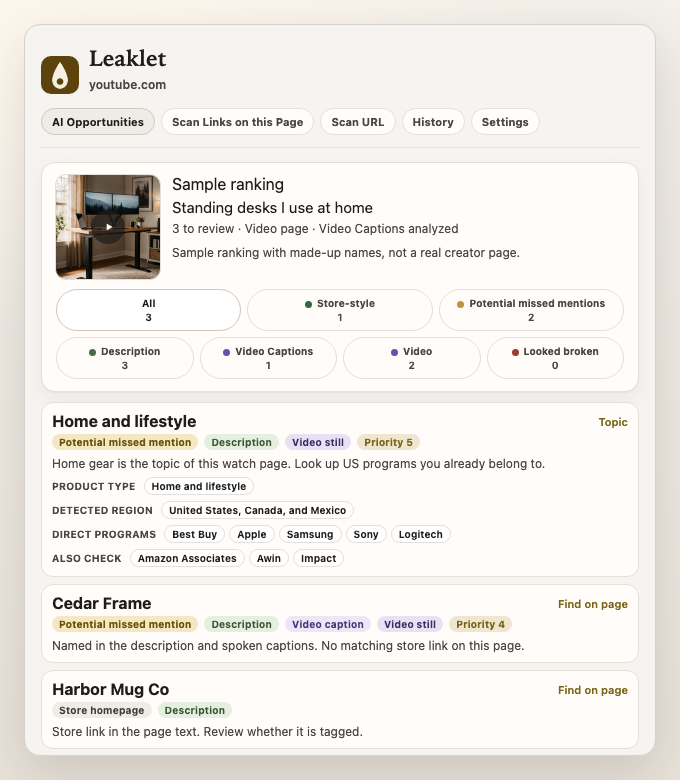
After a scan, open New content ideas for possible next videos or posts from names already on that page. See new content ideas.
Estimates only. Leaklet does not calculate commissions, prove you lost money, or tell you which brand to pitch. See Terms.